
Learning Objectives
- What is CDF
- Enabling CDF
- When to use CDF
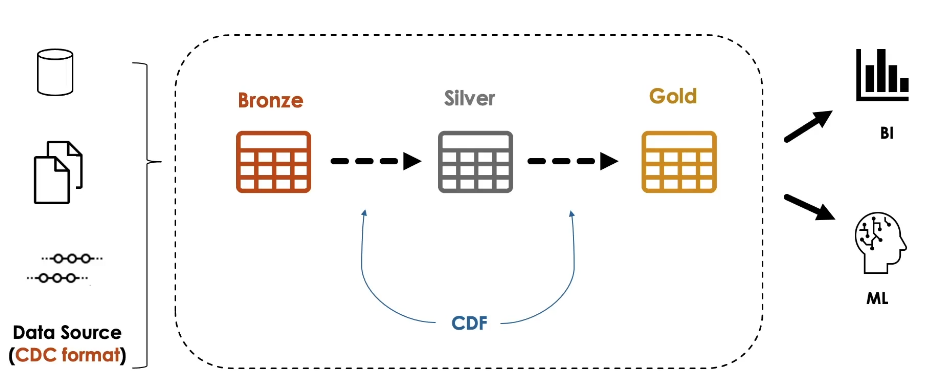
Change Data Feed or CDF is a new feature built into Delta Lake that allows to automatically generate CDC feeds about Delta Lake tables.
CDF records row-level changes for all the data written into a delta table. These include the raw data along with metadata indicating whether the specified row was inserted, deleted or updated.
CDF is used to propagate incremental changes to downstream tables in a multi-hop architecture.
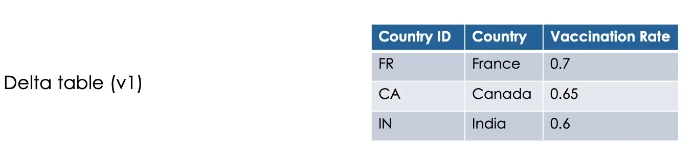
Here is a simple example of a delta table with three records in its version one.
Now, when we merge some updates on this table, like updating the value of France, and inserting a new record for USA
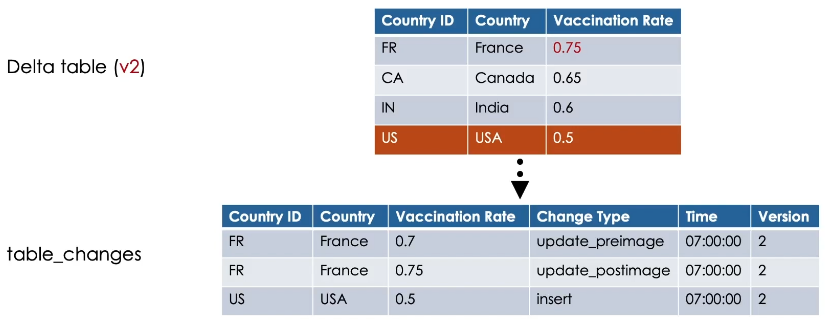
If CDF is enabled on the table, it will automatically capture these changes.
In the table_changes, CDF records the row data along with the change type, indicating whether the specified row was inserted, updated or deleted and the timestamp associated when the change was applied.
In addition, it records the Delta table version containing the change.
In our case, version 2.
Update operations in the table_changes have always two records present with pre-image and post-image change type.
This records the row values before and after the update, which can be used to evaluate the differences in the changes if needed.
And as you can see, Canada and India records in our example didn’t receive any update or delete, so
it will not be output by CDF.
Now if we delete the Canada record, for example,
CDF will record a Delete change type for this row.
We query the change data of a table starting from a specific table version.
Simply, we use SELECT * From table_changes and we specify the table name and the starting version.

This returns the changes from the specified version to the latest version of the table.
Instead, you can use an ending version to limit the versions retrieved if needed.
Alternatively, you can provide a timestamp for the start and end limits.

Enabling CDF
CDF is not enabled by default. You can explicitly enable it using one of the following methods.
On a new Delta table.
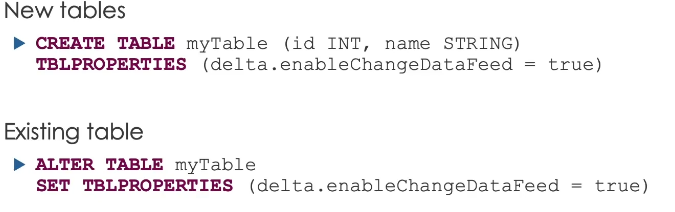
Set the table property delta.enableChangeDataFeed equal true in the table’s CREATE command.
On an existing Delta table use the ALTER TABLE command to set the table property
delta.enableChangeDataFeed equal true.
And on all newly created Delta tables, you can use Spark configuration settings to set this property to true in a notebook or on a cluster.
CDF retention
CDF data follows the same retention policy of the table. Therefore, if you run a VACUUM command on the table, CDF data is also deleted.
Lastly, here is some guidance for using CDF.
Generally speaking, we use CDF for sending incremental data changes to downstream tables in a multi-hop architecture
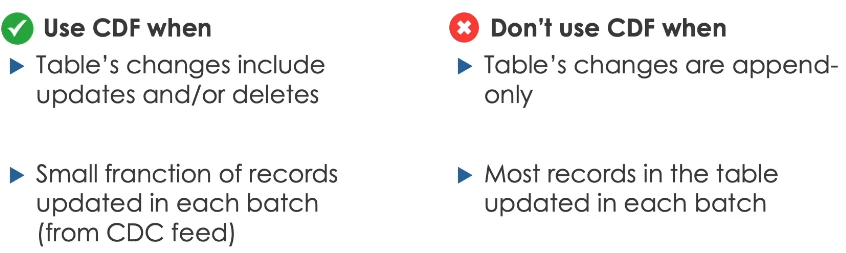
These changes should include updates and deletes.
If these changes are append-only, then there is no need to use CDF.
We can directly stream these changes from the table.
Use CDF when only a small fraction of records updated in each batch
Such updates usually received from external sources in CDC format.
On the other hand, don’t use if most of the records in the table are updated or if the table is completely overwritten in each batch.
CDF (Hands On)
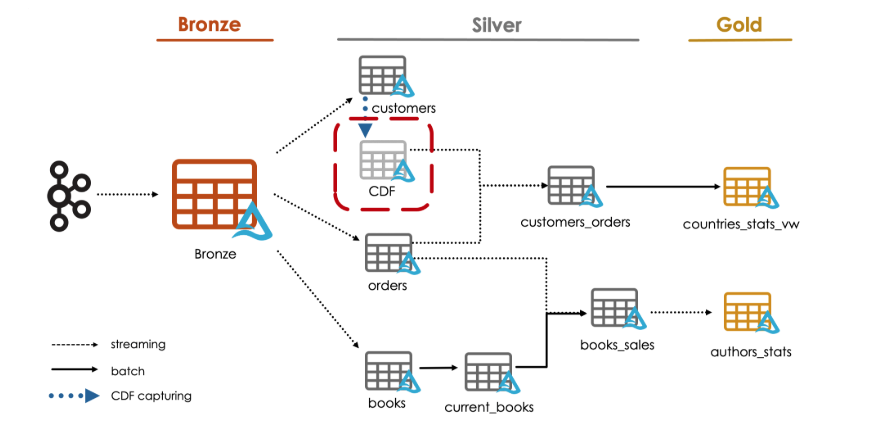
We will demonstrate how to easily propagate changes through a lakehouse with Delta Lake Change Data Feed or CDF.
Before starting, let us enable CDF on our existing customers table.
%sql
ALTER TABLE customers_silver
SET TBLPROPERTIES (delta.enableChangeDataFeed = true);
We can verify the table properties by running DESCRIBE TABLE EXTENDED on the table.
%sql
DESCRIBE TABLE EXTENDED customers_silver
If we scroll down, we see that Change Data Feed has been indeed enabled on the table.
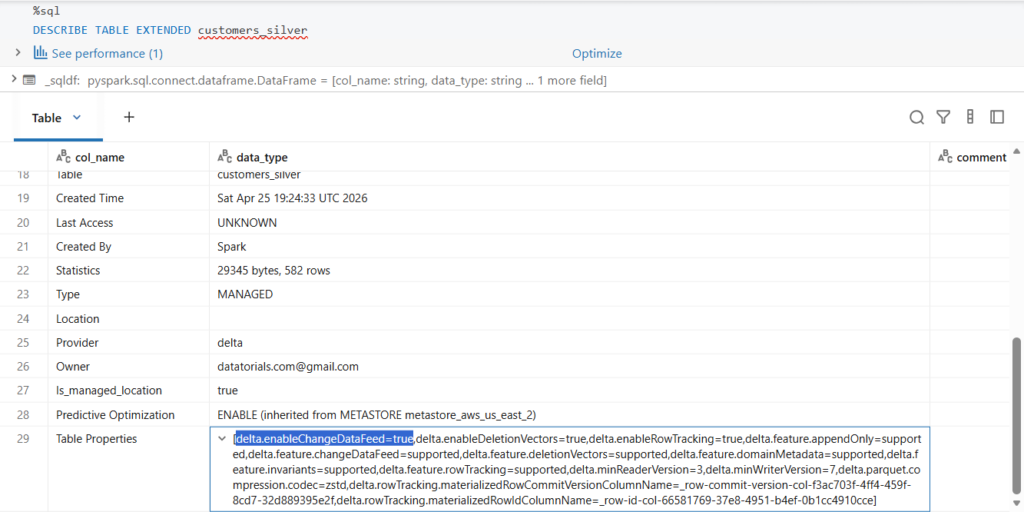
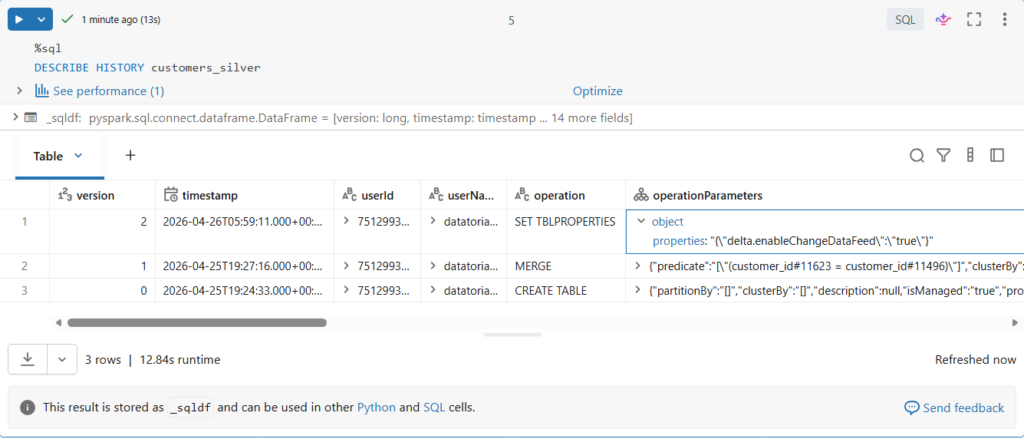
Editing table properties will add a new version to the table.
%sql
DESCRIBE HISTORY customers_silver
Let us confirm this.
As you can see, starting from version 2, we have CDF enabled, let us note this version number as we will need it later for reading the data.
Let us land more data files and process them till our customers_silver table.
bookstore.load_new_data()
bookstore.process_bronze()
bookstore.process_orders_silver()
bookstore.process_customers_silver()
Let us now read the changes recorded by CDF after these new data merged in our customers table.
%sql
SELECT *
FROM table_changes("customers_silver", 2)
In SQL, we use the table_changes function where we pass the table name and the starting version.
In our case version 2 Or you can use starting timestamp instead.
If CDF was enabled on table creation, we can simply use version zero as a starting version.
Let us run this query.
Here are the changes recorded by CDF.
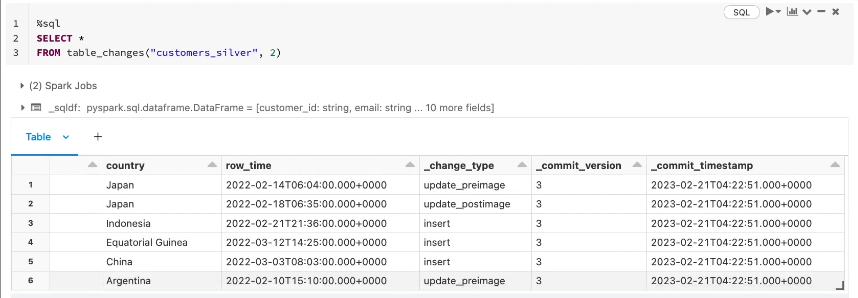
As you can see, we have the columns _change_type, _commit_version and _commit_timestamp.
In the _change_type column, Currently we have two types of operation recorded: insert and update.
We decided previously to not process deletes in our customers table for the moment.
Notice that customers would update operation have two record presents with change type update_preimage and update_postimage.
Great.
Let us land another file in our source directory and process it.
Let us read the new table changes.
In Python, we can read the recorded data by adding two options to a read stream query which are readChangeData with a value true, and the starting version.
cdf_df = (spark.readStream
               .format("delta")
               .option("readChangeData", True)
               .option("startingVersion", 2)
               .table("customers_silver"))

display(cdf_df, checkpointLocation = f"{bookstore.checkpoint_path}/tmp/cdf_{time.time()}")
Here we will do a streaming display to see the query results.

As you can see, we now capture the CDC changes from multiple commit versions.
Let us now see what happened in the table directory in the underlying storage.
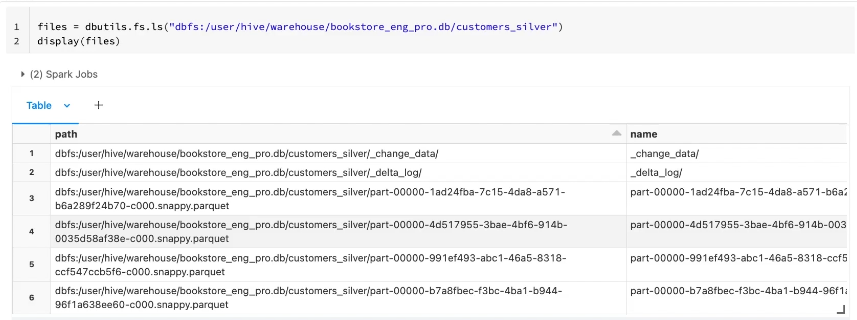
Here we see that there is an additional metadata directory nested in our table directory called _change_data
Let us take a look into this folder.
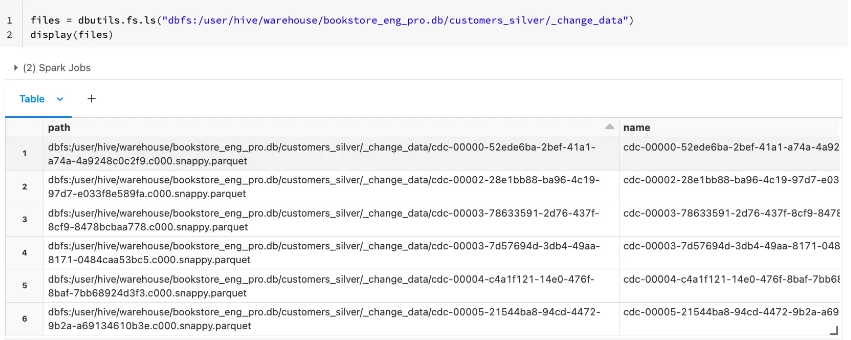
As you can see, this directory contains parquet files where the CDF is recorded.